Email signature generator.
Type your details, copy the signature, paste it into Gmail, Outlook or Apple Mail. No signup, no watermark, no tracking pixel, and no images to break for the people who block them.
Fill this in and you get a professional email signature you can paste into Gmail, Outlook or Apple Mail. No signup, no email address, no watermark and no tracking pixel. Three layouts, your colour, and markup built from tables and inline styles, which is the only construction that survives every major mail client.
Hi Megan,
Here is the partner deck. Thursday for a call?
|
Put your name in and the signature appears here.
Nothing is stored. No images and no web fonts unless you choose them, so it renders the same in every mail client.
For the person reading on a laptop.
Tick Add a QR code and the signature gets a small code beside it.
Most email is read on a computer, and a link in a signature opens there, not on the phone where contacts live. A QR code closes that gap: the reader points their phone at the screen and your Cardr card opens on the phone, or, for any other link, your name, role, number, email and website are saved straight to their contacts.
It is built for mail clients. The code is a PNG at 84 pixels, drawn at three times that so it stays sharp on a retina screen, and hosted on cardr.co, because Gmail strips images pasted in as data and neither Gmail nor Outlook displays SVG. It holds only what your signature already says, and we do not track who scans it. Readers who block remote images see your signature without the code, which is why the link row stays.
Hi Megan,
Here is the partner deck. Thursday for a call?
| 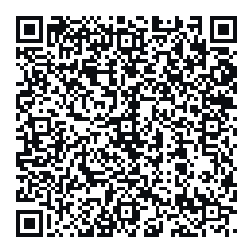 Scan to save my contact |
Keep it small and singular: one code, beside the text, with its caption. If the link row points at a free Cardr card, the code opens a page where they save you and can send their details back.
Four places, four slightly different routes.
Each guide carries this same tool, so you can make the signature and install it on one page.
Settings, See all settings, Signature. And the Save button nobody finds.
Install guideOutlookNew Outlook, Outlook on the web and classic Outlook for Windows.
Install guideApple MailMail on a Mac, and the one checkbox that strips your formatting.
Install guideiPhone MailSettings, Apps, Mail, Signature. Plus the shake that saves your formatting.
A signature goes stale the day your number changes.
Same problem as a printed card, in a different place.
What you paste today is a snapshot. Change your mobile number, your job title or your company and you have to edit it again in every client on every device, and every email you have already sent still carries the old one. The way around that is not a better signature generator: it is to make the link the durable part. Point the link row at a hosted card and the signature never needs editing again, because the card behind it is what changes. That is what Cardr is, and it is free. The step-by-step for Gmail and Outlook is how to add a digital business card to your email signature.
Your number changes.
Old number, forever
New number, same code
Where to go next.
QR codes, signatures, and everything else with no signup.
Free toolvCard QR code generatorA QR that saves your details straight to a phone.
How toMake a digital business cardSeven steps, about a minute, nothing to install.
FreeThe free plan in fullA card whose link never needs changing again.
About this tool.
Is this email signature generator free?
Yes, with no signup, no email address and no watermark. You can use the output commercially, for a whole team, without attribution. Cardr holders who are signed in can choose to add a one-line link to their free card; it is off unless they tick it, and it never appears for anyone else.
How do I add the signature to Gmail?
Press Copy signature above, then in Gmail open Settings, See all settings, and scroll to Signature on the General tab. Click Create new, paste into the box, pick it under Signature defaults, and press Save Changes at the bottom of the page. Full Gmail steps.
How do I add it to Outlook?
In new Outlook and Outlook on the web: Settings, Accounts, Signatures. In classic Outlook for Windows: File, Options, Mail, Signatures. Paste the copied signature into the editing box and choose it as the default for new messages and replies. Full Outlook steps.
How do I add it to Apple Mail?
Mail, Settings, Signatures, pick the account on the left, create a signature and paste into the right-hand pane. Untick “Always match my default message font” first, or Mail will strip the formatting as you paste. Full Apple Mail steps, and the iPhone version.
Why is there no logo or photo by default?
An image in a signature is loaded from a remote server, and a large share of recipients block remote content by default, so what they see is a broken-image icon under your name. Corporate mail gateways strip them too. A signature built from text and one accent colour looks intentional everywhere. Signed-in Cardr holders can add their photo or initials as a small picture if they want one.
How do I add a QR code to my email signature?
Tick Add a QR code beside the signature above, then copy the signature as usual. If the link row is your Cardr card, the code opens it; otherwise it saves your name, role, phone, email and website to the phone that scans it. It is a small PNG hosted on cardr.co, because Gmail strips images pasted as data and neither Gmail nor Outlook shows SVG. Readers who block images see your signature without it.
Why is the HTML a table with inline styles?
Because Outlook renders mail with Microsoft Word, which ignores <style> blocks, has no support for flexbox or grid, and collapses margins unpredictably. A table with inline styles is the only layout that renders identically across Gmail, Outlook, Apple Mail and the rest.
What should an email signature include?
Your name, your role, one phone number, and one link. Legal disclaimers, social icon rows, quotes and “please consider the environment” lines all lower the chance that the one thing you wanted clicked gets clicked. If you put your card link in, make it the only link.
Can I put my digital business card in my signature?
That is the best use of the link row. A link that saves your full contact details with a tap is doing more work than a homepage URL, and if it points at a hosted card you can change your number later without editing anybody’s signature. A cardr.co link typed here is tagged so the holder can see how many people opened it from their signature.
The card behind one code.
- One link, never stale
- Saves to their phone
- Free, no card details
Make the link the part that never goes stale.
Point your signature at a Cardr and change your details once, everywhere, forever. Free, about a minute.