Digital business card examples, rendered live.
16 designs, each drawn live by the code that makes the real Wallet pass, with Oxford free and all 16 on Pro.
Free forever · No card details · About a minute
cardr.co/daniel-osei
Example of what happens next: Megan Hollis scans Daniel’s card, saves Daniel to their contacts and chooses to send their own details back. The next morning at 9 a.m., Cardr Pro reminds Daniel to follow up, with the email already drafted.
16 digital business card designs, every one of them rendered live on this page by the software that issues the real pass. These are not mockups: the artwork is produced by the same function that draws it onto a signed .pkpass, at the real proportions, with real scannable QR codes. Oxford is on the free plan and is marked as such. The same card is shown in all 16 finishes so you are comparing the design rather than the content.
One card, 16 ways.
Same person, same details, same renderer. Only the finish changes, which is the only way to compare finishes honestly.

cardr.co/daniel-osei
Fine engraved linework over near-black, in the register of a printed share certificate.
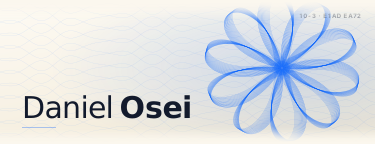
cardr.co/daniel-osei
Cream with an engraved plate pattern and dark navy type. The lightest of the engraved finishes.

cardr.co/daniel-osei
Deep navy with a cool highlight across the top. Formal without going to black.
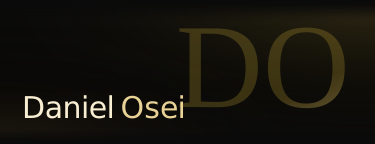
cardr.co/daniel-osei
Near-black with gold-foil initials and a cream serif name. One of the highest-contrast finishes in the set.

cardr.co/daniel-osei
The whole card in one colour you choose, with white or dark type picked by contrast. Plain and light until you choose one.

cardr.co/daniel-osei
Deep indigo with cool light bleeding through it. Dark enough to keep the QR clean.

cardr.co/daniel-osei
Dark brown ground with a warm directional sheen. Reads as metal rather than as a colour.
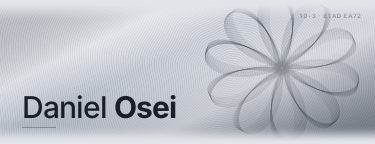
cardr.co/daniel-osei
A machined guilloche on pale grey, the pattern used on banknote borders. Hundreds of real engraved paths, drawn from the holder's name, not a texture image.

cardr.co/daniel-osei
Deep violet down to a coral and orange horizon. The warm counterpart to Aurora.

cardr.co/daniel-osei
Two colours you pick, and the whole field is built from them. The only preset with no fixed appearance; shown here on its default teal to deep blue.

cardr.co/daniel-osei
Deep desaturated red. Formal without being navy, which most of the rest of this set is.

cardr.co/daniel-osei
A brushed grey mesh, low chroma. The neutral option for when a colour would be a claim you do not want to make.

cardr.co/daniel-osei
Near-white with room for a portrait in the artwork itself. With no photo uploaded it falls back to the monogram shown here.

cardr.co/daniel-osei
Pale green deepening toward the bottom, with dark green-black type. The only light finish with a real hue.

cardr.co/daniel-osei
Warm ivory with a soft radial glow, fine grain and a dark brown serif name.

cardr.co/daniel-osei
White, black type. The QR has the most contrast it will ever get.
Put your name on one.
Oxford is free forever, and all 16 are on Pro. Change the finish later and the card you handed out changes with it.
Pick a dark one and stop thinking about it.
This is the decision people spend the longest on and it changes the outcome the least. The scene this card is used in is a loud room, poor light, and somebody who is already half turned towards the next conversation. A dark card with a light QR code gives their camera the easiest possible job, which is the only design property on this page that measurably affects whether the handover works. Everything else is for you, and that is a perfectly good reason to care about it — just not for very long.
Your card changes after you hand it out.
Which is the strongest argument for not agonising over the choice above.
A printed card commits you to a design for as long as the box lasts. A Cardr does not. Change your job title or your phone number, or on Pro the finish, and your pass redraws itself in your Wallet while your page changes with it. The QR code stays the same, and there is nothing to reissue.
So the sensible order is: take Oxford, hand the card out this afternoon, and move to another finish on Pro later if you still want one. The cards you have already given away will change with it.
- Your Wallet passUpdated
- Your pageUpdated
- The same QRUpdated
- Every link you sentUpdated
- Contacts already savedLinks to your page
Where to go next.
Each finish on its own page: its colors, type, measured contrast and who it suits.
How to Make yoursSeven steps, about a minute, nothing to install.
Free The free planWhat the free plan includes, and where the others cap theirs.
Apple Wallet How the pass worksWhy the artwork above ends up on a signed .pkpass.
Cardr Pro All 16 on Pro£12 a month, or £9 a month billed annually (£108 a year). 7 days free to try it.
Metal Metal business cardsEngraved aluminium, with a QR that opens your live card. No chip.
Designs, answered.
Are these real, or mockups?
Real. Each card above is drawn by the same function that renders the artwork onto an issued Apple Wallet pass, running on this page as you load it. The QR codes are produced by the same encoder the product uses and are genuinely scannable. Nothing here is a photograph, a render or an illustration of the product.
Which digital business card design should I pick?
A dark one, unless you have a reason not to. Most of these get scanned in a badly lit room by somebody holding a drink, and a dark card with a light QR gives the camera the easiest job. Past that it barely matters: the design is the decision people spend longest on and the one that changes the outcome least.
How many designs are free?
One, Oxford, marked above; Pro has all 16. It is not a watermarked or cut-down version of a paid design, and it is the one we would tell most people to ship: a dark card gives the camera the easiest job.
Can I use my own colours?
Two ways. Brand Colour takes a single colour from you and builds the card around it, and Custom Gradient takes two and builds the whole field from them. Both are on Pro.
Can I put my photo on the card?
Yes. Signature is built around a photo: your portrait is set softly into the right of its artwork. Every other design with an artwork band places a photo the same way, and Classic and Brand Colour, which use Wallet's plain layout, show it as the thumbnail beside your name. With no photo, Signature shows a large pale monogram of your initials in that space.
Can I change the design after I have handed cards out?
On Pro, yes, and this is one of the better arguments for not agonising over it now. Change the design and your pass redraws itself in your Wallet, and your page follows. Nothing has to be reprinted or reissued. On the free plan the card stays in Oxford, and your name, role and details change the same way.
Cardr Free
- Your card
- $0
- Apple Wallet pass
- $0
- Your page
- $0
- Contacts
- No limit
- Exchanges
- No limit
Every year$0
No card details
More on digital business cards
Start with Digital business cards: What one is, what it costs, and which format still works when the signal does not.
- Do 88% of business cards get thrown away?Guide
- GDPR and business cards in the UKGuide
- Digital business cards on AndroidGuide
- Are paper business cards dead?Guide
- How to make a digital business card
- What the free plan includes
- Digital vs paper, row by row
- Digital business cards in the UK
- Digital business cards in Australia
- Digital business cards in Canada
- Digital name cards in Singapore
- Do you need a business card app?
- Profession by profession
- Glossary: the terms, defined
Put your own name on one of these.
Free forever in Oxford, all 16 on Pro, and your details change any time without reissuing anything.