 KaiFounder · Novrex
Cardr Pro. Never forget to follow up.
From $12/month billed annually ($144 a year)
Your note becomes the email. Reminded on the day you said.
A free business card for Apple Wallet and Google Wallet. One scan swaps details. Cardr writes your follow-up.
cardr.co/kai
Tap the i in Apple Wallet and the real pass turns over, like this.
Drag it · it turns over
One scan does the rest.Your page opens on their phone, their details come back to you, and Cardr reminds you to follow up.
Create my free cardFree forever · No card details · About a minute
Reminders: your first 3 people on Free, everyone on Pro.
The person you meet does one tap. Cardr does the remembering.
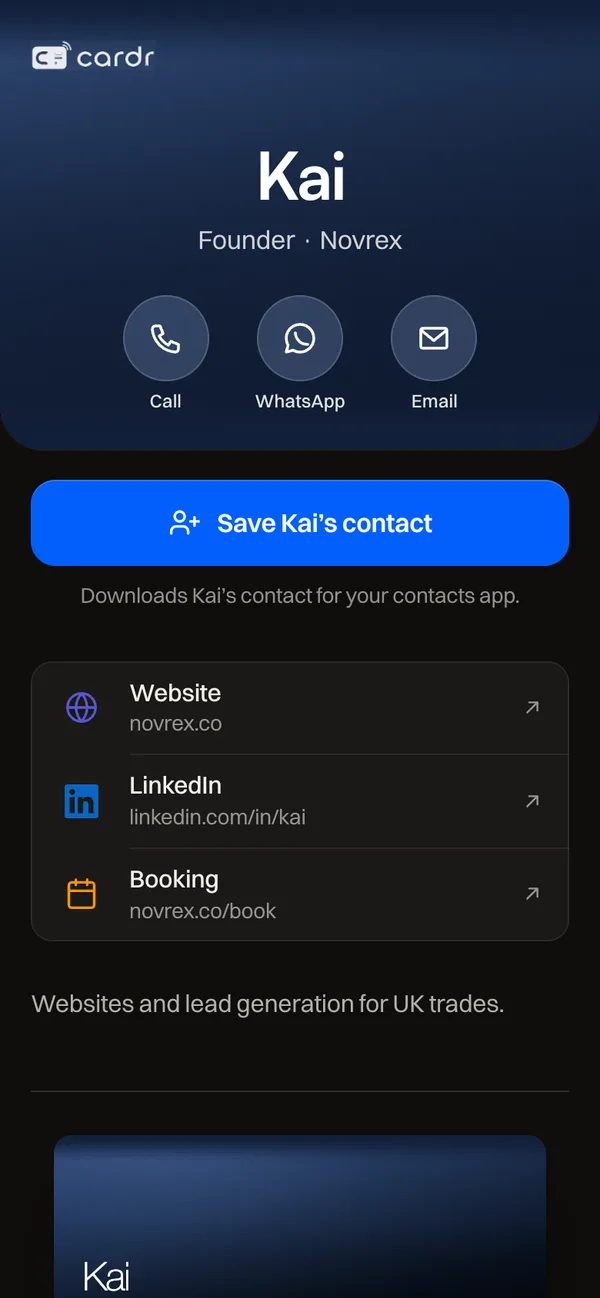
They scan your Wallet pass and your page opens. No app, no account.
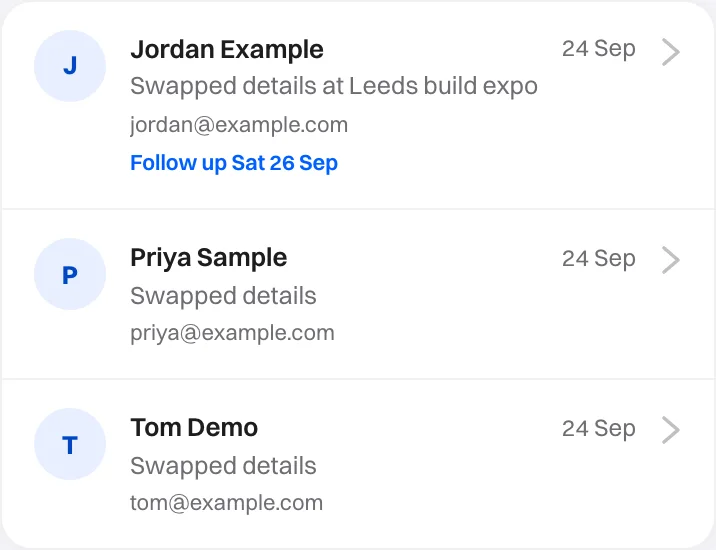
One tap sends theirs to you, into your People list and inbox.
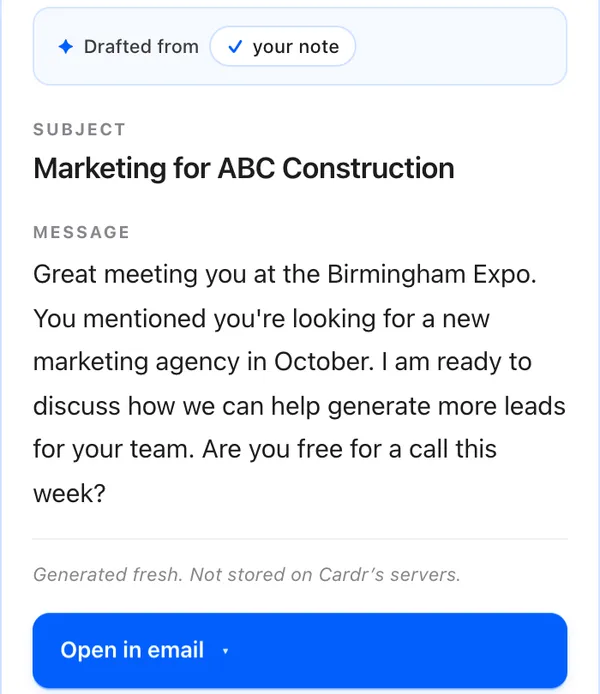
Cardr reminds you while they still remember you, with the email already drafted from your note.
Met James at the Birmingham Expo. Message him Thursday.
Filed under James
Reminder set
Thursday09:00, in your inbox
Time to follow up with JamesYour draft to James is ready to send.
Follow-up written
Hi James, great meeting you at the Birmingham Expo. Free for a quick call this week?
Send email to JamesDone, I followed upRemind me in 2 days
Free card · First draft free · Reminders on Pro
Apple Wallet on iPhone, Google Wallet on Android. It opens with no signal, and the people you meet install nothing.
They scan, tap Save, and you’re in their contacts. Nothing to download, no account.
Your pass and your page update together. Same QR.
Your code is in Wallet, not on a web page.
Notes, tags, search and export. Never behind Pro.
No card details · About a minute
Sixteen designs. Three are drawn from your name, so yours is generated from it rather than picked from a template.














Already have a paper card? Create my free card
Pro turns the people you meet into work you win.
Who replied, what turned into work, and what it was worth.
Example: Results, with a bar each for the people met, followed up, replied, in opportunity and won, £4,800 won, and where they came from.Everyone by stage, so nobody slips.
Example: People’s pipeline, with Priya Sample moved from Opportunity to Won, worth £2,400, and a next step on Friday.Book a time or WhatsApp, right under Save.
Example: a card page with Book a time with Priya pinned under Save, and three services with prices.From $12/month billed annually ($144 a year)
Your note becomes the email. Reminded on the day you said.

$49/month for 5 people then $10 a month for each extra person
Learn more about Cardr Teams Set up my team
30 days free once a colleague joins. No card details. 30 days to change your mind.
Never lose the opportunity after the meeting.
$15/month$12/month
Billed monthly. Or $12/month billed annually ($144 a year), save $36.$144 billed annually. Save $36 a year.
Try Pro free, then $144/yearTry Pro free, then $15/month7 days free, then 30 days to change your mind. Every payment back, no questions asked. We email you 2 days before the first charge.
Plus a capture form on your page that thanks them for you, and everything in Free.
$0 forever
A better business card.
No card details. Takes about a minute.
Comparing apps? Cardr vs Blinqvs HiHellovs Poplvs Wave
Yes. The Apple Wallet and Google Wallet passes, the QR code and your page at cardr.co/yourname are free forever, and so is the contact list the exchange fills: every exchange saved, searchable, with your notes, tags and meeting memories, and exportable to CSV or vCard whenever you like. We do not ask for card details to set it up. Pro is $15 a month, or $12 a month billed annually ($144 a year), and does the follow-up for you: the AI follow-up drafting, the reminders, the capture form and the full set of pass designs. Seeing how often your card is opened, and how many people shared their details back, is on both plans. Your links, including a booking link, are free for everyone. The free tier is not a trial that expires.
No. Your QR code or link opens your card as a web page in the browser already on their phone, iPhone or Android, and they save you to their contacts from there. There is nothing to download and no account to create. That is the entire point: every digital business card that asks the other person to install something loses most of them at that moment.
Yes. You carry your card in Google Wallet on Android 9 or later, or Apple Wallet on an iPhone, free on every plan, and it updates itself when you edit it. Anyone you meet, on any phone, opens your cardr.co/yourname page from the QR code or the link and saves you to their contacts, with nothing to install. How to add it to Google Wallet.
All of them make a good digital business card, and all of them offer Apple Wallet and Google Wallet passes and a way for people to send their details back, so on the card itself we are broadly in the same place. Cardr is built around one thing: making sure the follow-up actually gets sent. One sentence about the meeting is filed against the person, the message is drafted from it, and on the day you said you would follow up, Cardr reminds you. If your problem is that your card looks dated, any of them will fix it. If your problem is that you never followed up, that is the one we built for.
No. Your free Wallet card and its QR code do the whole exchange on their own. Cardr Metal is optional: metal business cards engraved with a QR code that opens your Cardr profile, bought once, with no subscription. Edit your profile whenever you like and the same cards keep opening it; the engraving itself stays as it was made. They work on the free plan too. See Cardr Metal.
Yes. Cardr Teams puts your company’s brand on every member’s card and Wallet pass, lets you add or remove people from one place, gives every member Pro, and comes as one bill for the whole team. See Cardr Teams.
Yes, twice over. Pro starts with 7 days free: you add a card, we email you 2 days before the first charge, and cancelling before then costs nothing. After you pay, you have 30 days to change your mind: email us within 30 days of your first payment and we refund every penny, no questions asked, and you keep the Wallet pass either way. There is no form to fill in, and if you delete your account instead, the refund is sent automatically.
Free forever · Set up in about a minute