Digital business card in your email signature Your card, under every email you send.
Put your card link in your signature as “Save my contact” and a QR beside it, then paste it into Gmail or Outlook. The free generator below builds both.
Free forever · No card details · About a minute
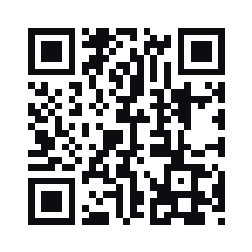
Thanks for your time today. My details are below; scan the code to save them to your phone.
|  Scan to open my card |
To add a digital business card to your email signature, put your card link in it as one line, like “Save my contact”, and a QR code beside it. The link opens your card in a click; the QR moves it to the reader’s phone. Build both in the free signature generator, copy, and paste into Gmail or Outlook.
Three ways to put a card in a signature.
Each format fails somewhere different, so the generator uses two together.
| A text link | A QR code | A picture of your card | |
|---|---|---|---|
| Works when images are blocked | Yes | No, so keep the link too | No |
| Gets your card onto their phone | Only if they read on the phone | Yes, from a computer screen | No |
| Saves you to their contacts | Yes, from your card page | Yes, from your card page | No, they retype it |
| Stays current after you change jobs | Yes, it opens your card as it is now | Yes, same link | No, it is a snapshot |
| Lets them send their details back | Yes | Yes | No |
Use the link and the QR together. The generator makes both, with the QR beside the link and the link still there for readers who block images.
-
A text link
- Click
- Your card
- Save
-
A QR code
- Scan the screen
- Card on their phone
-
A picture of your card
- They look
- They retype it
Into Gmail or Outlook, in six steps.
These are the short versions. The full, checked steps for each app live in the generator’s guides: Gmail, Outlook, Apple Mail and iPhone.
-
01
Get your card link
Make a free Cardr card and copy its address, cardr.co/yourname. That link is the card: it opens your page, where people save you.
-
02
Build the signature
In the free signature generator, put the link in Website or card link, write link text such as “Save my contact”, and tick Add a QR code.
-
03
Copy it
Press Copy signature. That copies the finished signature, not the HTML, which is what Gmail and Outlook want.
-
04
Gmail: paste into Signature
Settings, See all settings, Signature on the General tab, Create new, paste, set it under Signature defaults, then Save Changes at the very bottom. Every Gmail step.
-
05
Outlook: paste into Signatures
New Outlook and the web: Settings, Accounts, Signatures. Classic Outlook for Windows: File, Options, Mail, Signatures. Paste, set it as the default, save. Every Outlook step.
-
06
Send yourself a test
Email yourself, open it on a computer, and scan the QR with your phone. Your card should open on the phone.
They click. You’re in their phone. They can send theirs.
What happens after someone clicks your signature link or scans its code.
-
1
They click or scan
The link in your signature, or the QR beside it from a computer screen.
-
2
They save you
Your card opens. Save puts you in their contacts, then they can send you their email or number.
-
3
It lands in your list
With where it came from. Pro drafts the follow-up and reminds you on day 3.
ExampleOwen Hartigan’s card is the example in the hero, and Owen Hartigan and Leah Morgan are both invented. Every screen is drawn from the product: the pass, the card page and the email Pro sends.
Know when your signature works.
Signed in, the generator tags your link so its opens are counted on your dashboard, free. Pro’s Results splits everyone you met by where they came from, with Email signature as its own source.
- No tracking pixel
- Only your link
- Opens counted, free
That is the whole of the tracking. The QR is a plain image with no tracking pixel, it holds only what your signature already says, and nobody who reads your email is followed anywhere.
Four problems, and the fix for each.
- The QR does not show. The reader blocks remote images, which many mail apps do until they trust the sender. The link line is there for exactly this, so keep it.
- The signature pasted as plain text. The copy came across without formatting. Press Copy signature again in Chrome, Edge or Safari and paste once more; in Apple Mail, untick “Always match my default message font” first (Apple Mail steps).
- It is missing on replies. Gmail and Outlook keep a separate default for replies and forwards. Set the signature there too (Gmail, Outlook).
- It is not on my phone. Mail apps on a phone keep their own signature. On iPhone, set it in Settings (iPhone steps); the Gmail app has its own Mobile Signature, which is plain text.
Free card. Pro does the follow-up.
Your card, your page and every contact it brings in are free. Pro writes each follow-up from what you talked about and emails it to you at 9 a.m., ready to send.
See what Pro doesYour signature, with your card and a QR.
Fill this in and the email signature generator opens with your details and the QR switched on. Choose a layout and a color there, then copy.
| Scan to open my card |
Where to go next.
Three layouts, your color, an optional QR. No signup.
Install guideAdd a signature in GmailEvery step, and the Save button nobody finds.
Install guideAdd a signature in OutlookNew Outlook, the web and classic Outlook.
GuideYour card on WhatsAppThe same link, in any chat.
Signature cards, answered.
How do I add a digital business card to my email signature?
Copy your card link, put it in your signature as a short line such as “Save my contact”, and add a QR code beside it for people reading on a computer. The free generator builds both; then paste into Gmail or Outlook.
Does the signature update when I change my card?
The link does. It opens your card as it is now, so a new job title or number shows the next time anyone clicks, in every email you ever sent. The words typed into the signature itself stay as you pasted them.
Should I use a link, an image or a QR code?
A text link first, because it works when images are blocked. A QR code beside it, because most email is read on a computer and contacts live on the phone. A picture of your card does neither job well: it cannot be clicked into a contact and goes stale.
Why add a QR code to an email signature?
A link in an email opens on the screen where the email is read, usually a computer. A QR code moves your card to the phone: they point the camera at the screen, your card opens, and they save you there.
Will the QR code show in Gmail and Outlook?
Yes, for readers who load images. The code is a PNG, 84 pixels square, hosted on cardr.co, because Gmail strips pasted data images and neither Gmail nor Outlook shows SVG. Readers who block images see the link line instead.
Is this the same as classic Outlook’s Business Card option?
No. Classic Outlook can attach a contact file (.vcf) to your signature. A card link opens your live card instead, and the person can send their details back to you. You can use both.
Can my whole team use the same signature?
Each person builds their own in the free generator. Cardr has no central signature manager that pushes signatures to every inbox. Cardr Teams puts your company on everyone’s card, so every link opens a branded card.
Is it free?
Yes. The card, its link and the signature generator are free, with no signup for the generator and no watermark. Opens from your signature are counted on your dashboard when you are signed in.
Make the link your signature points to.
A free card at your own address, so every email you send opens the right details. About a minute.