Digital business cards on AndroidAndroid doesnot opena .pkpass.
This is the most common objection to a Wallet-based card and it deserves a straight answer rather than a marketing one. Here is exactly what happens when an Android user meets your card, step by step, against what happens on an iPhone.
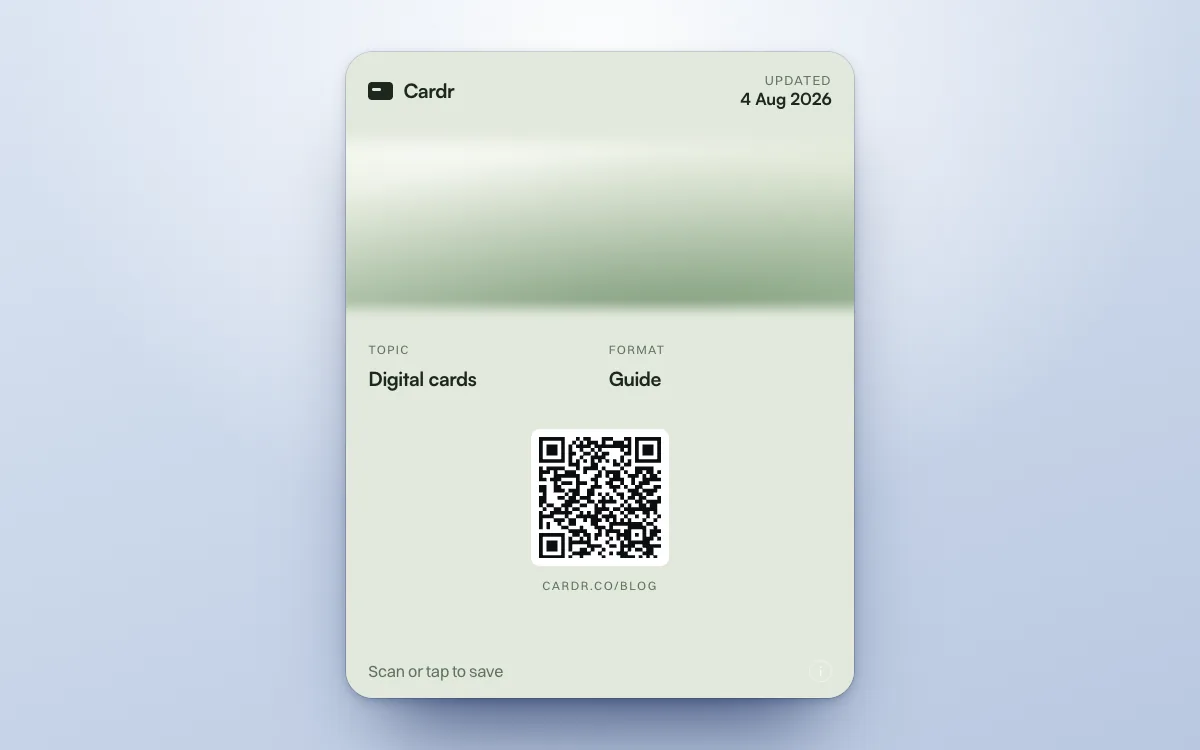
An Apple Wallet pass is an Apple format, and Android will not open one natively. So on an Android phone that runs Google Wallet (Android 9 or later), your Cardr goes into Google Wallet instead, free, with the same QR code, and it updates itself when you edit your card. The pass lives in your Wallet and nobody you meet is given it, on any phone. They scan its QR code, open your web profile and save you to their contacts with a tap, on an Android phone exactly as on an iPhone. The rest of this page is the detail.
Five steps. None of them is different.
Follow the sequence through on both phones and the answer is less dramatic than the objection.
Both phones
They point the camera at the QR code on your phone.
iPhone
The camera recognises the code and offers the link.
Your profile page opens: name, role, company, photo, every link.
No Wallet step. The pass is yours, and it stays on your phone.
Save contact. A vCard drops into their address book.
A short form sends you theirs, or they just save you.
You are in their contacts, the contact links back to your page, and their details are in your list.
Android
The camera recognises the code and offers the link.
Your profile page opens: name, role, company, photo, every link.
No Wallet step. The pass is yours, and it stays on your phone.
Save contact. A vCard drops into their address book.
A short form sends you theirs, or they just save you.
Exactly the same. Nothing on their side depends on Apple.
The same five steps on both handsets. None of them differs, because the pass never leaves your phone.
Worth being precise about who this affects: it is you, not the person receiving your card. They get your page, never the pass, whatever phone they carry. If you are on Android yourself, you cannot hold your own card in Apple Wallet, but you can hold it in Google Wallet if the phone runs it (Android 9 or later): open the Card tab of your dashboard on the phone and tap Add to Google Wallet. It carries the same QR code and updates itself when you edit your card.
Pass and page
The pass
Yours. It lives in your wallet.
Your page
What they get, on any phone.
What goes into Google Wallet.
The same card in Google’s format, in your design’s colours.
Google Wallet has a generic pass format of its own, and Cardr issues your card to it as well, free on every plan. On an Android phone, open the Card tab of your dashboard and tap Add to Google Wallet; it is also at cardr.co/me/pass, and on the last screen when you finish making a card. The steps, with what to do if it will not add, are in how to add your card to Google Wallet.
It carries the same QR code as the Apple Wallet pass, so whoever scans it lands on the same page, and it updates itself when you edit your card. It comes in your design’s colours, with its artwork as a picture on designs that have one, such as Intaglio and Aurora, in Google’s layout. A design that is one flat colour is shown as that colour, with no picture.
The two wallets are not the same product with different logos. Apple Wallet is preinstalled, undeletable, and already the place people keep boarding passes and coffee cards. Google Wallet’s generic passes are a less established habit. Either way the pass is yours, and the people you meet get your page.
The two wallets
Apple Wallet
Preinstalled. Cannot be deleted.
Google Wallet
A less established habit.
The workaround, and why we do not recommend it.
Third-party apps can open a .pkpass on Android. They are still the wrong answer.
Apps exist that read Apple’s pass format on Android. They work. If you personally want to carry a .pkpass on an Android phone, one of them will do it.
It would not help the people you hand your card to anyway, because they are never given the pass on any phone. They get your page, and that is the whole design principle of the product: the moment you ask someone to install an app, the exchange is over. That is true at a doorstep, at a wedding, and on a trade-show floor. It does not become untrue because the app is free.
An app that opens .pkpass
You
It works on your Android.
People you meet
Never given the pass. They get your page.
So the honest position is that the people you meet get exactly the same thing on Android as on iPhone: the web profile, the contact save and the exchange. And if Android is the phone in your pocket, your card goes into Google Wallet rather than a third-party app.
Should you use us, then.
Two situations, and which of them we are the answer to.
The Wallet pass is the reason to pick us, in Apple Wallet or Google Wallet.
You are on iPhone or Android; they are on anythingCardr worksThe pass is yours to carry, in Apple Wallet or Google Wallet. What they receive works on either platform.
You just want a QR that saves a contactUse the free toolNo account, no email, no platform question. Works everywhere a camera does.
Questions, answered.
Can Android users still receive my Cardr?
Yes, in exactly the same way as iPhone users. They open your profile page from the QR code or the link, save you to their contacts and can send their details back. Nobody you meet gets a pass on any phone; the pass is yours.
Should I use Cardr if I am on Android myself?
Yes, if a card in your Wallet is what you want. On an Android phone that runs Google Wallet (Android 9 or later), your card goes into Google Wallet, free, with the same QR code and the same automatic updates as the Apple Wallet pass. It comes in your design’s colours, with its artwork as a picture on designs that have one, such as Intaglio and Aurora.
Does Cardr support Google Wallet?
Yes, free on every plan. On an Android phone, open the Card tab of your dashboard and tap Add to Google Wallet. The pass carries the same QR code as the Apple Wallet pass and updates itself when you edit your card. Google Wallet needs Android 9 or later with Google Play services, in a country where Google offers it.
Does the contact save work the same on Android?
Yes. The vCard download and save into the contacts app is standard on Android and does not depend on anything Apple-specific. Every link on your card also works normally in an Android browser.
What exactly is a .pkpass file?
It is Apple's signed pass format, the same one your boarding passes and loyalty cards use. It is a small signed bundle of JSON and images that Apple Wallet knows how to display and update. Android has no native handler for it.