Personal CRM for networking Keep track of everyone you meet, in one list.
A personal CRM is any list that keeps a note beside a name and tells you when to write. The right one is the one you will open standing up.
Kai, Founder of Cardr · 8 min read
To keep track of people you meet, you need one list with each person’s details, a note on what they need, one next date, and a way to mark it done. Your phone’s contacts plus calendar reminders can do that for free; a spreadsheet adds sorting; a personal CRM app such as Dex or Mesh adds imports and reminders; Cardr fills the list from the exchange itself. If you already keep hundreds of relationships across email and LinkedIn, a dedicated personal CRM will serve you better than we do. If your problem is the people you meet in person and then lose, that is the part Cardr is built for.
What a list actually needs to hold.
Four things per person: how to reach them, what they need, when to come back, and whether you already have. Anything more is optional.
“Personal CRM” sounds like software, but it is a habit first. The habit is the one in our follow-up guide: capture five facts about each person at the event, send one message within two days, and come back on the date they gave you. The list is what lets the last part happen months later.
So judge every option on four questions. Do their details get in without retyping? Does the note sit beside the name? Does something tell you on the day? Can you use it one-handed at the event? Most tools are strong on two and weak on the others, and which two matters depends on how you meet people.
Four approaches, side by side.
None wins on every row. Phone contacts are free and always there; a personal CRM app is strongest on imports and reminders; Cardr is strongest at the moment you meet someone.
Prices checked on 23 September 2026. Read off each vendor’s own live page that day and quoted, not remembered. If one has moved, tell us and we will correct it.
| Phone contacts | Spreadsheet | Personal CRM app | Cardr | |
|---|---|---|---|---|
| Their details get in | Typed, or from a shared contact | Typed | Typed or scanned | From the exchange, both ways |
| Pulls in people you already know | Already there | Only by import | Yes: email, calendar, LinkedIn | No: add by hand |
| Note beside the name | Yes, inside the contact | Yes, one row | Yes | Yes, filed from one sentence |
| Reminds you on the day | Only with a calendar event | No | Yes | On Pro |
| Usable standing up | Yes | No | Usually | Yes |
| Cost | Free | Free | Dex from $12/mo; Mesh free to 1,000 contacts; Covve from $12/mo | Free; Pro £12/mo, or £9/mo billed annually (£108 a year) |
Vendor prices read off each vendor’s own pricing page on 23 September 2026 and quoted in their currency; details in the section below. The Cardr column is ours, so weigh it accordingly.
Read the last column with the obvious caveat: it is ours. The row where we lose is the second one. We do not import your existing address book, sync your email or LinkedIn, or connect to another CRM, and a personal CRM app does all of those.
Phone contacts, and a spreadsheet.
Both are free and both work, if you add the missing piece yourself: a calendar reminder for the date, and the discipline to put the note in the same place as the name.
Your phone’s contacts win on one thing nothing else matches: they are already there, on every phone, and your mail and messaging apps already read them. Every contact has a notes field. The weaknesses are that the note is buried a scroll down inside the contact, there is no “due this week” view, and nothing reminds you. Pair it with a calendar event on the date you mean to write, and it is a working system for a few dozen people.
A spreadsheet adds what contacts lack: one row per person, a “next date” column you can sort by, and a “done” column. It is the best free option for seeing everyone at once, and it exports anywhere. It is the worst at the event itself, where nobody is editing a spreadsheet one-handed, so it works best when fed from somewhere else: typed up from notes that evening, or filled from a CSV export.
Personal CRM apps.
Dedicated apps import the relationships you already have and remind you to keep in touch. They are the right choice if your network already lives in email and LinkedIn.
Prices checked on 23 September 2026. Read off each vendor’s own live page that day and quoted, not remembered. If one has moved, tell us and we will correct it.
Three we checked, each read off its own pricing page on 23 September 2026 and quoted in the vendor’s own currency. We have not tested their apps in depth, so this is what they say they do, not a review.
- Dex. Premium is $12 a month billed annually ($144 a year), $16 a month billed quarterly, or $20 month to month, with LinkedIn sync for up to 2,500 connections, WhatsApp and messaging sync, email and calendar integrations, and keep-in-touch reminders. Professional is $20 a month billed annually. The page lists a 7-day free trial, which needs a card, and no free plan.
- Mesh. The personal CRM that used to be Clay: clay.earth now redirects to me.sh. A free Personal plan for up to 1,000 contacts includes imports from email, calendar, X, LinkedIn, Facebook and iMessage, search, groups and reconnect reminders. Pro is $10 a month billed monthly, with a discount for paying annually.
- Covve. Its plans are built around scanning: Essential is $12 a month or $119 a year per seat, with unlimited business card and QR scanning, notes and groups, export, and Outlook, Google Contacts and Zapier integrations. Pro, at $20 a month or $199 a year, adds event badge scanning and team features. The page lists a 14-day trial and no free plan.
Where these win is breadth. If most of your relationships already exist in your inbox, calendar and LinkedIn, an app that pulls them in and reminds you who has gone quiet does something a business card app is not built to do. Where they are weaker is the start of a relationship: a person you met ten minutes ago is not in your inbox yet, and someone still has to type them in or scan a paper card.
Cardr’s contacts, and what it is not.
Cardr’s contact list fills itself from the exchange, keeps your note beside the name, and works out the follow-up date. It is not a full CRM, and it does not try to be.
When someone scans your Cardr Wallet card they land on your page, save you to their contacts, and can send their details back. Those details arrive in your list without either of you typing them twice. You can also add someone by hand. Then:
- Free, for good: every exchange saved, notes, tags and search, Meeting Memory (one dictated sentence filed into who, where, what they need and when, with the date worked out from your words), a “Mark followed up” button, and export to CSV or vCard whenever you like. The pricing page has the full list.
- Pro, £12 a month or £9 billed annually (£108 a year): a reminder email on the date in your note, or day 3 after you met if there is none, and AI-drafted follow-ups written from your note.
- Not there: importing your existing contacts, syncing email, calendar or LinkedIn, deal stages, team sharing, and integrations with any other system. If you need those, use a personal CRM app, or export from Cardr into one.
That split is deliberate. What you own, your contacts and your notes, is never paywalled, and the export means Cardr can feed a spreadsheet or another CRM rather than trap you in it.
Which one to use.
Pick by where your relationships start. Most people are best served by two: something for the moment you meet, and something for the long list.
Where do your relationships usually start?
- In your inbox, calendar and LinkedIn A personal CRM app Imports and keep-in-touch reminders across the people you already know. Dex and Mesh are both built for this.
- Face to face, at events and on site Cardr The exchange puts them in your list, the note is one sentence, and the date comes from your words.
- Scanning a stack of paper cards A scanning app Covve is built around card and badge scanning. Cardr does not scan paper cards.
- A few dozen people, no budget Phone contacts or a spreadsheet Free and entirely adequate, with a calendar reminder for each date.
- Both in person and online Cardr, exported into the other Capture in the room with Cardr, then export CSV or vCard into the list you keep for everything else.
Whichever you choose, the list only works if the note goes in within five minutes of the conversation and the date goes in as a date. The timing guide covers what that date should be.
Create my free cardContacts, notes, tags and export are free forever.
Questions, answered.
What is a personal CRM?
A list of the people you know, with a note on each and a reminder of when to get in touch. It can be software, a spreadsheet or your phone’s contacts; what makes it a CRM is the note and the date, not the app.
How do I keep track of people I meet networking?
Capture five facts within five minutes of each conversation, get their email or number before you part, and keep everyone on one list with one next date each. Check the list once a week.
Is there a free personal CRM?
Yes. Your phone’s contacts plus calendar reminders cost nothing, a spreadsheet costs nothing, Mesh has a free plan for up to 1,000 contacts, and Cardr’s contact list, notes, tags, search and export are free. Dex and Covve list trials rather than free plans.
Can I use a spreadsheet as a CRM?
For a few dozen people, yes, and it is the best free way to see everyone sorted by next date. It is awkward to fill at an event, so feed it from notes typed up that evening or from an export.
Is Cardr a CRM?
Not a full one. It keeps the people you meet, your notes, tags and follow-up dates, and exports them. It does not import contacts, sync email or LinkedIn, track deals or connect to other systems.
Can I move my Cardr contacts into another CRM?
Yes. Export them as CSV or vCard from your contacts page at any time, on the free plan. Most CRMs and spreadsheets import one or the other.
Keep reading
This is part of How to follow up after networking. Every other guide is on the guides index.
-
Following up7 min read
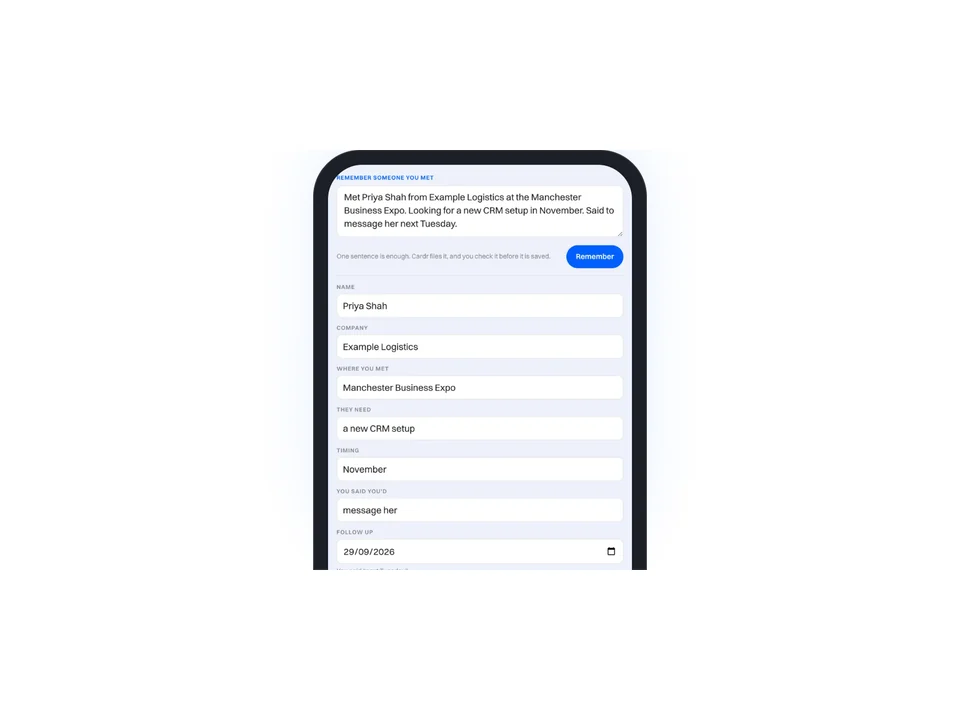
How to remember people you meet
Five facts, written down within five minutes. Everything else is optional.
-
Following up7 min read
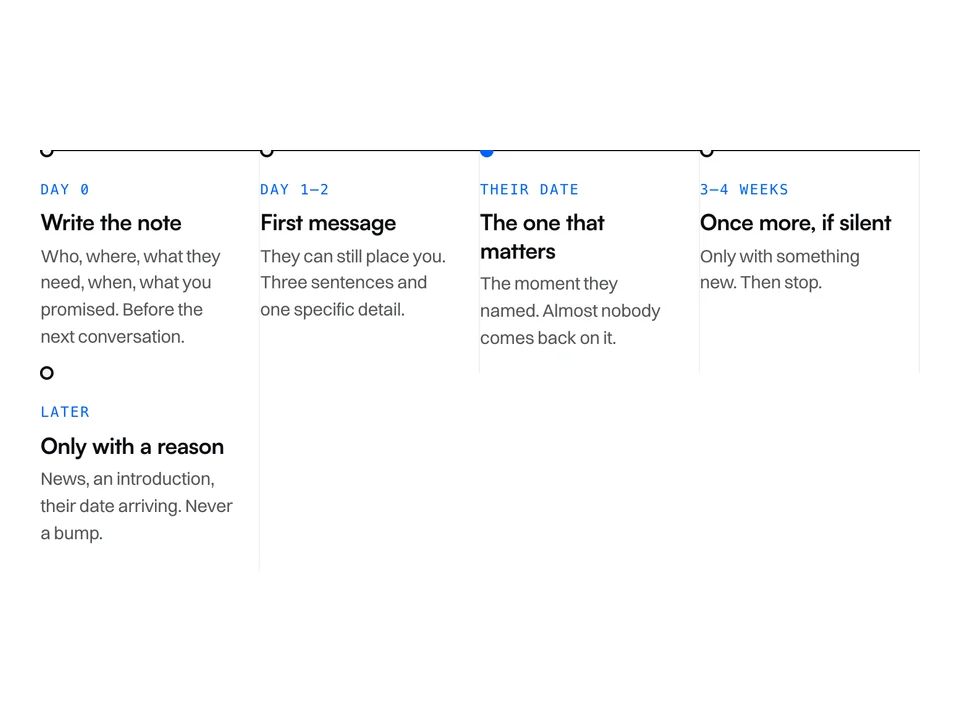
When to follow up after meeting someone
Three moments, and the most important one is the date they told you.
-
Following up6 min read
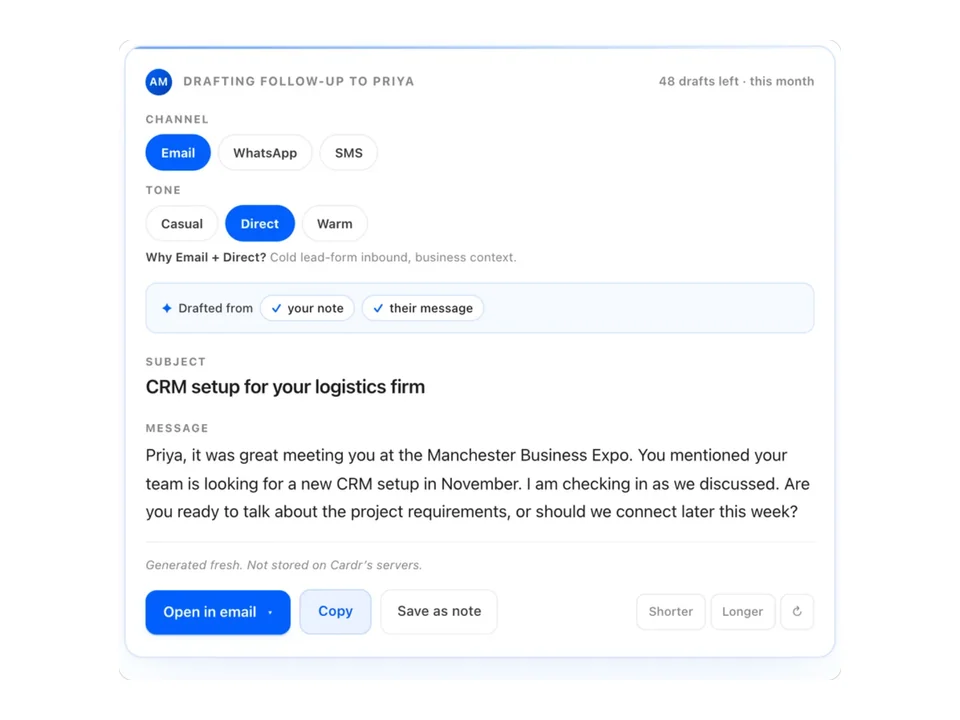
Networking follow-up email templates
Six short templates, and the one line in each you have to change.
Free forever. About a minute to build.
Nothing for the other person to install, and no card details to start.