Can an Apple Wallet pass be animated? No, a Wallet pass cannot move.
Not a GIF, not an animated PNG, not a video. Here is exactly why, where the idea comes from, and the two things that do change a pass after it is in someone’s Wallet.
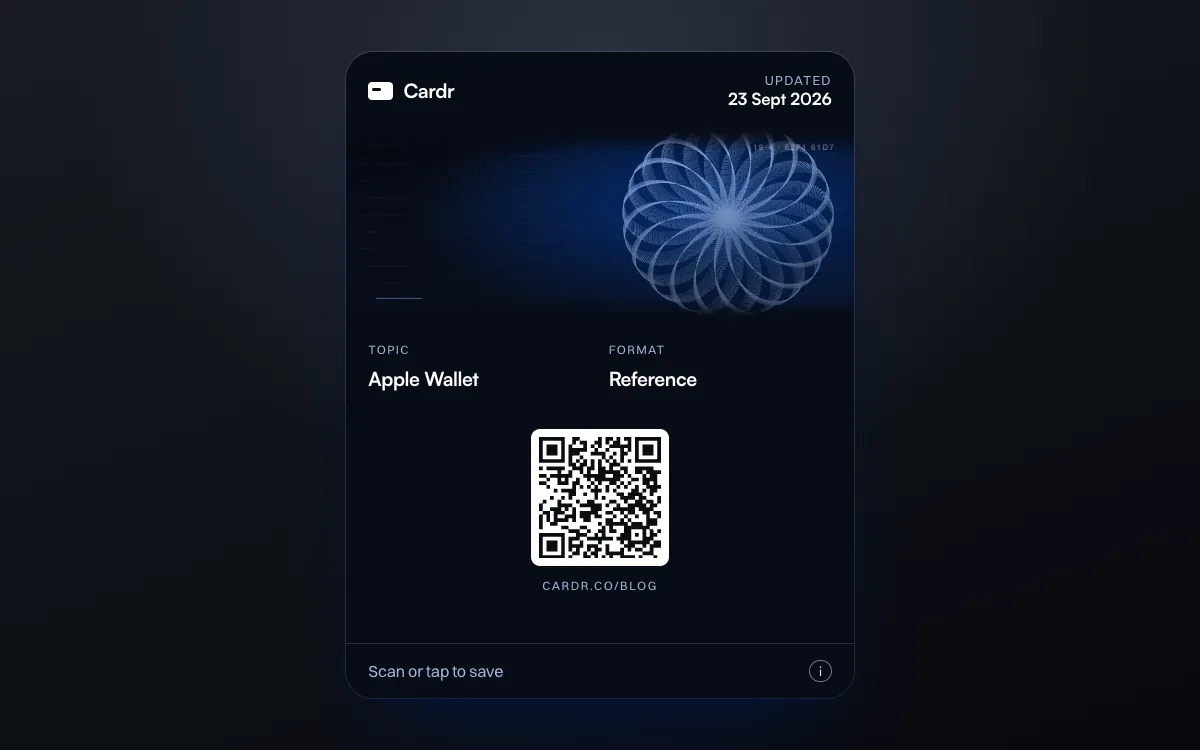
No. An Apple Wallet pass cannot be animated. Every image in a pass is a PNG with a fixed file name, such as strip.png, and Apple documents no animated format: Wallet does not read a GIF, and nothing in the format plays an animated PNG. The newer poster layouts are larger and artwork-led but still static, and the poster event ticket cannot be used with a QR code. What a pass can do is carry a sharp strip image and update itself: its server can push a new version, and Wallet can show a notification when a field changes.
Why it cannot animate.
A pass is a signed zip of JSON and PNG images, each with a name Wallet looks for. There is no slot for a GIF or a video, and no key in pass.json that describes motion.
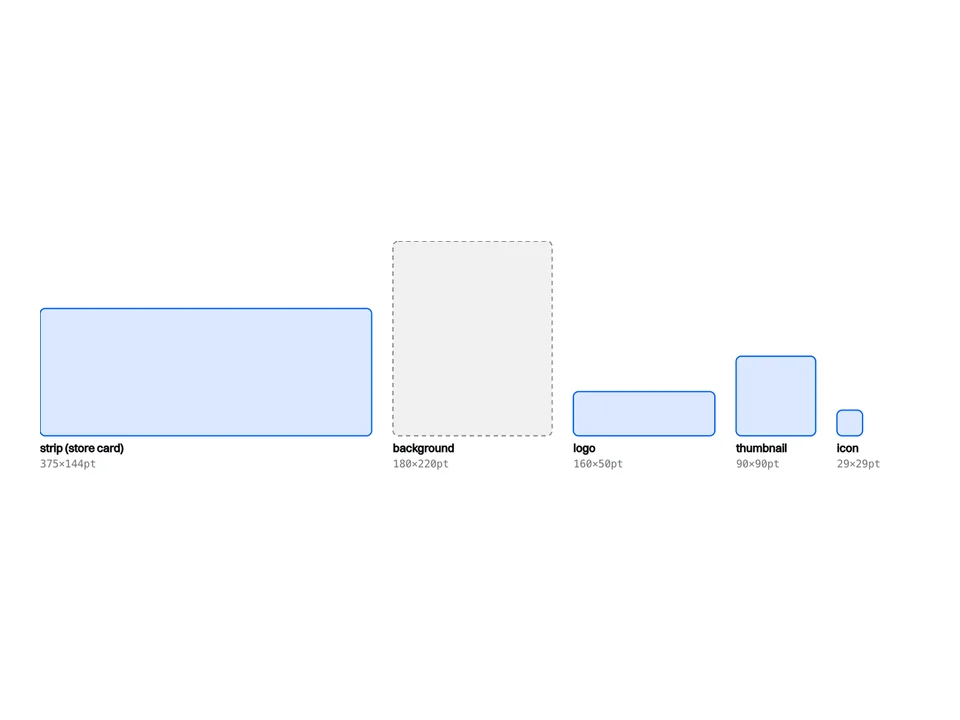
Apple’s PassKit guide names each image by its file: background.png, footer.png, icon.png, logo.png, strip.png, thumbnail.png. Each is scaled to fill its allotted space; nothing about playback, frames or duration appears anywhere in the format. Three consequences:
- A GIF is simply not read. Wallet looks for
strip.png. A file calledstrip.gifis not that file, so Wallet ignores it, and a GIF renamed to.pngis not a PNG. - An animated PNG gets no animation. An APNG is a PNG with extra frames, which is why it passes a file check. Apple documents no support for animated PNGs in passes, so the most you should plan for is a still.
- The signature fixes the files. Every file is hashed into
manifest.jsonand signed. The images cannot change on the phone; only a new version of the whole pass can replace them, which is the route covered below.
Wallet does draw one effect of its own: a gloss across the strip image, controlled by suppressStripShine. It is Apple’s effect, on or off, not something you can animate.
What you want, and what exists.
Most requests for an animated pass are really one of five things. Each has an answer, and only one of them is “no, and nothing close”.
| What you want | In Apple Wallet | What to do instead |
|---|---|---|
| A moving logo or strip (GIF, APNG, video) | No. Images are static PNGs. | Put the effort into a sharp still strip. |
| The pass to change when something changes | Yes, by pushing a new version. | An update web service, with changeMessage on fields that matter. |
| A notification at the right moment | Yes, on update or when relevant. | changeMessage, plus relevantDates or up to 10 locations. |
| A full-bleed, poster-style pass | Partly. Event tickets need NFC entry; Poster Generic is iOS 27. | Poster Generic, with a legacy style as the fallback. Test on a device. |
| The same pass animated on Android | Not in Apple Wallet. | Issue a separate Google Wallet pass. |
From Apple’s pass.json reference and the pages linked in this post, read on 23 September 2026.
Where the idea comes from.
Mostly from Google Wallet, where pass platforms say animated GIFs do work, and from Apple’s poster layouts, which look far livelier than an ordinary pass without actually moving.
Prices checked on 23 September 2026. Read off each vendor’s own live page that day and quoted, not remembered. If one has moved, tell us and we will correct it.
Google Wallet. Badge, a platform that issues passes to both wallets, says in its design guide that “Apple Wallet does not support animated images; Google Wallet does”, and offers a separate GIF cover image for Google Wallet only. Google’s own brand guidelines list PNG as the preferred type for its images and say nothing about animation either way, so treat the GIF route as something to test on a device rather than a documented feature. Either way it is a Google Wallet behaviour: a pass designed around a GIF will be still in Apple Wallet.
Apple’s poster layouts. At WWDC24 Apple introduced a poster-style event ticket with full-bleed artwork, and in iOS and watchOS 27 it extends the idea to membership, loyalty and similar cards with the Poster Generic style, “designed to highlight prominent artwork”. They are more striking, but the docs describe no animated artwork in either.
The poster layouts, and who gets them.
The poster event ticket is not available to anything scanned with a QR code. Poster Generic is new in iOS 27, and we have not built or tested one.
- Poster event ticket. Apple’s requirements are the
posterEventTicketentry inpreferredStyleSchemesand a set of semantic tags, including the event name,venueName,venueRegionNameandvenueRoom; miss one and the pass falls back to the ordinary event ticket. Apple also states that “poster event tickets aren’t compatible with tickets that require a QR code or barcode for entry”. That leaves NFC, and adding NFC to a pass “requires a special entitlement issued by Apple”. For a business card, whose whole job is a QR code, this layout is out of reach. - Poster Generic (iOS 27). Declared with a
posterGenericdictionary alongside a legacy style, which older devices show instead. Apple’s own illustration of it includes a QR code, and its guide mentions no entitlement. We have not built one, so we cannot tell you how it renders on a device, and we would not rely on the mock-ups until we have.
Neither is animated. The field limits differ from the classic styles too; they are set out in Apple Wallet pass field limits.
What you can do: the strip.
The strip is the one large image Wallet draws sharp: 375×144 points on a store card, 1125×432 pixels at @3x. If a pass is going to look distinctive, it is here.
The background image is larger but Wallet blurs it; the thumbnail is sharp but 90pt square. The strip is the only canvas that is big and crisp, so everything we would have wanted to animate goes into it as a still instead. Our engraved designs generate their artwork from the holder’s name, so two people on the same design get different strips: the one kind of uniqueness a static image can carry. Every size and style is in Apple Wallet pass image sizes.

And updates: the pass that changes.
A pass can change after it is added, by being replaced. Its server pushes a signal, the phone fetches the new version, and Wallet can tell the holder what changed.
Apple’s update web service is the mechanism: add webServiceURL and authenticationToken to the pass, and “you can update any type of pass and any information in the pass, except for the authentication token and the serial number”. That includes the images. Give a field a changeMessage such as “Gate changed to %@” and Wallet shows a notification with the new value when it changes.
This is not animation, and it should not be used to fake it: every update is a push, a download and a re-signed pass. It is the right tool for a pass whose content goes out of date. A business card is exactly that: change your job title and the pass in your Wallet should change with it. Cardr passes carry an update address, so editing your card updates the pass. More on how the card itself works in Apple Wallet business cards, and on the format in the pass guide.
Create my free cardA signed Wallet pass with a sharp strip, updated when you edit it. Free.
Questions, answered.
Can you put a GIF on an Apple Wallet pass?
No. Pass images are PNG files with fixed names, such as strip.png. Wallet does not read a GIF, and a GIF renamed to .png is not a valid PNG.
Does Apple Wallet support animated PNG (APNG)?
Apple documents no support for animation in passes. An APNG is a valid PNG, but plan for it to show as a still, if at all.
Does Google Wallet support animated passes?
Pass platforms such as Badge say Google Wallet displays animated GIFs, though Google's own brand guidelines only name PNG. It is a Google Wallet behaviour either way; the same pass is static in Apple Wallet.
What is the Apple Wallet poster event ticket?
A full-bleed, artwork-led layout for event tickets, introduced at WWDC24. It needs the posterEventTicket style scheme and required semantic tags, and Apple says it is not compatible with tickets that use a QR code or barcode for entry.
Can a Wallet pass change after it is added?
Yes, if it was built with an update web service. The issuer pushes a signal, the phone downloads the new pass, and a field with a changeMessage shows a notification when it changes.
Can a pass play a video or sound?
No. A pass contains JSON, PNG images and a signature. There is no media slot of any kind.
Keep reading
This is part of Apple Wallet business cards. Every other guide is on the guides index.
-
Apple Wallet pass image sizes
Every size in points and pixels, and which style shows which image.
-
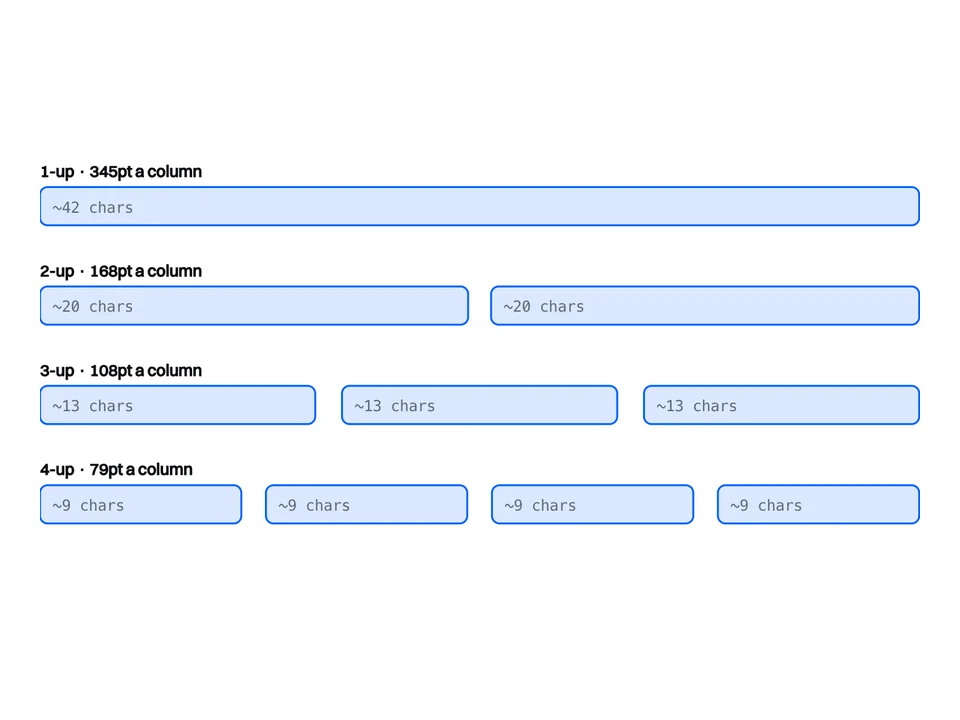
Apple Wallet pass field limits
Store cards with a QR get four secondary and auxiliary fields between them, not eight.
-
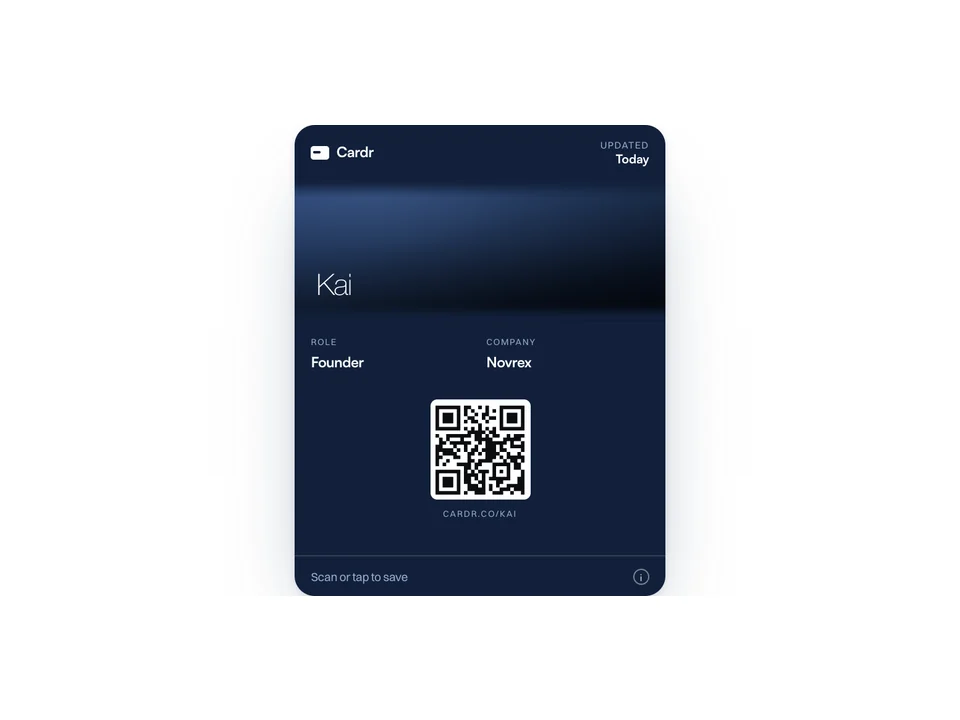
Add a business card to Apple Wallet
Five steps. The only catch is that Wallet will not take a photo or a PDF.
Free forever. About a minute to build.
Nothing for the other person to install, and no card details to start.