iPhone contact QR code Your contact, as a QR code, on an iPhone.
The iPhone can scan a contact QR code, but it has no button that shows yours as one. Here is what Apple actually offers, the three ways around it, and which one to use for the room you are in.
Kai, Founder of Cardr · 11 min read
iOS does not have a built-in way to show your contact as a QR code. Apple’s iPhone User Guide for iOS 27 shares a contact through Messages, Mail and the other sharing options, or through NameDrop, and mentions no QR code. To get one, build a short shortcut with Shortcuts’ Create QR Code action, generate a vCard QR image free, or show a QR that links to a card page. Between two iPhones, NameDrop needs no code at all. Which one suits you comes down to whether your details change and how often you meet Android phones.
Does the iPhone have a contact QR code built in?
No. We checked Apple’s current guide rather than assuming, because the feature sounds as though it ought to exist.
Your details live in My Card in the Contacts app. Apple’s guide to My Card covers your name, number, address, avatar and Contact Poster. Its page on sharing a contact says to tap the contact, tap Share Contact, choose the fields to share, then “choose a sharing option, such as Messages or Mail”. The other route Apple lists is NameDrop. Neither page mentions a QR code, and we found no QR option anywhere in the Contacts section of the guide for iOS 27 (both read 23 September 2026).
So the built-in ways work only once you already have a way to reach the other person, or they are standing next to you with an iPhone. Share Contact sends through Messages, Mail and the like, which mostly assumes you already have their number or email: the very thing you were trying to swap. For someone with an Android phone, across a table, you need a code, and the phone will not make you one on its own.
There are three ways to get one, plus NameDrop for when both of you have iPhones. The table compares all four.
| Shortcuts vCard | Free vCard generator | Link to a card page | NameDrop | |
|---|---|---|---|---|
| Built into the iPhone | Yes, the Shortcuts app | No, a web page | No, a service | Yes |
| Their phone | Any phone with a camera; test on Android | Any phone with a camera; test on Android | Any phone with a camera and signal | iPhone or Apple Watch only |
| Grid size, same person | 53×53 | 53×53 | 29×29 | No code |
| Works with no signal | Yes | Yes | They need signal once | Apple does not say |
| Change your details later | Make a new code | Make a new code | Edit the page | You share your current card |
| They can send theirs back | No | No | Only if the page asks | Yes, if both share |
| Setup | About six actions, once | One form | Make a card | None |
Grid sizes read back from the qrcode encoder at level M for a made-up person: a five-field vCard against a short cardr.co link. Apple facts from the iPhone User Guide and Shortcuts notes, read 23 September 2026.
The grid sizes are not typed in. Both codes come from the same encoder our free tool uses, at the same error-correction level, for a made-up person with a short cardr.co address and five vCard fields. A bigger grid packs more, smaller squares into the same space, and that is what makes a code fussy in poor light. Our QR code size guide turns those grid sizes into millimetres.
How to make one with Shortcuts.
Apple’s own Shortcuts app can turn text into a QR code. Put your contact card in as the text and you have a free, offline contact QR that lives on your iPhone.
The action is called Create QR Code. Apple names it in its notes on what is new in Shortcuts for iOS 26, which say it “can now specify colours and styling”. Earlier versions call it Generate QR Code, which is the name in Apple’s 2023 Education Community walkthrough. The Shortcuts User Guide’s newest edition is for iOS 26, so on iOS 27 the name may have changed again. If one name finds nothing, search for “QR”. (All three pages read 23 September 2026.)
The trick is what you feed it. Given a website address, the code opens the website. Given text in the vCard format, the format phones use for contact cards, it becomes a contact code. Apple’s guide suggests the Text action for fixed text like this.
-
01
Make a new shortcut and add a Text action
Open Shortcuts, tap the plus button, search the actions for Text and add it. This holds your details.
-
02
Type your details into it as a vCard
Five fields is plenty: name, company, title, one mobile, one email. The exact lines are below this list. Leave out your address; on its own it can nearly double what the code has to hold.
-
03
Add Create QR Code
Search for Create QR Code and add it under the Text action, so it takes the text as its input. Older versions of Shortcuts call this action Generate QR Code.
-
04
Add Show Content
This puts the code on screen when the shortcut runs. If you would rather keep it as an image, save it to Photos instead and open it from there.
-
05
Put it within one press
Add the shortcut to your Home Screen, or on iPhone 15 Pro and later assign it to the Action button, so the code is up before the conversation moves on.
-
06
Scan it with somebody else’s phone
An iPhone and an Android if you can borrow them, from arm’s length. If either one does not offer to save the contact, fix it now rather than at the event.
For step 2, type these lines into the Text action, one per line, with your own details in place of the made-up ones:
BEGIN:VCARDVERSION:3.0N:Morgan;Alex;;;FN:Alex MorganORG:Example Studio LtdTITLE:DirectorTEL;TYPE=CELL:+44 7700 900123EMAIL;TYPE=INTERNET:alex@example.comEND:VCARD
N is the surname, then the first name, separated by a semicolon. FN is the name as it should appear. If a company name has a comma or a semicolon in it, put a backslash in front of it, or the phone will split the name there.
For step 5, Apple’s guide covers running a shortcut from the Action button, which it says iPhone 15 Pro and later models have instead of the Ring/Silent switch. On any iPhone, adding the shortcut to the Home Screen does nearly the same job.
What you end up with is a raw vCard code, with the strengths and limits of one. It works with no signal on either phone, because the details are in the pattern. It also cannot be changed: if you change your number, anyone who photographed the old code still has the old number. Our vCard QR code guide goes into what to cut and why.
The quicker way: a free vCard QR generator.
If you do not want to type vCard lines into a text box on a phone, a generator writes them for you.
Our vCard QR generator takes six fields: full name, company, job title, phone, email and website. It builds a vCard 3.0 from them and draws the QR code on the server, with the same encoder Cardr uses for real passes, at error-correction level M. You can download it as an SVG, which stays sharp at any size. There is no signup, no email and no watermark, and all the fields are optional.
Two things worth knowing. The details are not stored, but they do appear in the page address so that a generated code can be bookmarked, so treat that link like the details themselves. And the result is the same raw vCard code the Shortcut makes, so it cannot be changed after you share it.
To keep it on your iPhone, open the image and save it to Photos, or add it to a Favourites album so you can find it quickly. That is two taps slower than a shortcut on the Action button, and it works on any iPhone without building anything.
A vCard code, or a link to a card page?
This choice matters more than which app makes the code. A vCard code carries your details; a link code carries an address where your details live.
Density. For the made-up person above, the five-field vCard encodes to a 53×53 grid; a short link encodes to 29×29. The link stays that size however much the page behind it says. On a bright screen held still, either will scan. On a dim screen, in a dark bar, or from further away, the code with bigger squares is the one that scans first time. The QR code business card guide covers why dense codes fail in poor light.
Updating. A vCard code is fixed the moment it is made. A link can point at a page you edit, so the code people scan next month shows your new number. A contact somebody has already saved is a copy either way: it stays as it was.
Signal. This is where the vCard wins outright. It needs no connection on either phone. A link needs the other person to have signal once, to load the page. In a basement venue or abroad without data, that matters.
What comes back. Neither kind of code tells you it was scanned. A vCard code is a one-way handover. A card page can offer a way for the other person to send their details back.
That last point is where Cardr fits, if it fits you. A Cardr is a link code kept in Apple Wallet on your iPhone. The pass is stored on the phone, so it opens with no signal on your side. The person scanning it lands on cardr.co/yourname, saves you to their contacts with one tap on Save and sends their details back with one more, which puts them in your contact list. They need signal once and nothing installed, and the card is free. If the offline vCard suits you better, the Shortcut or the generator is the right answer, and both are free too.
When they have an iPhone too: NameDrop.
If the other person has an iPhone and you are standing together, you may not need a code at all.
NameDrop swaps contact cards when you hold two iPhones close together, and it works both ways. It is free and built in. It also stops at iPhone and Apple Watch, needs the phones a few centimetres apart, and shares your name, one number or email and your Contact Poster, but not your company or title. Our NameDrop comparison has the details from Apple’s own pages.
So a contact QR code is really for everyone NameDrop does not reach: people with Android phones, people across a table, and a queue at a stand.
Pick by who is in front of you, and whether your details change.
- They have an iPhone and you are standing together Use NameDrop Free, built in, two-way. Add their company yourself afterwards, because NameDrop does not send it.
- Your details rarely change and signal is poor where you meet people A Shortcuts vCard code Nothing loads, on either phone. Keep it to five fields so it still scans in bad light.
- You want the same result without building a shortcut The free vCard generator Six fields, an SVG download, no signup. Save it to Photos.
- Your details change, or you want theirs back A link to a card page A smaller code that stays current. On Cardr it sits in your Wallet and its Save button returns their details, free.
How the other person scans it.
With the camera they already have. No scanning app on either platform.
On an iPhone, Apple’s guide says to open Camera, stay in Photo mode, get the code inside the frame and tap the link that appears at the bottom of the screen. There is also a Scan Code control in Control Centre, and on supported models the Camera Control can open the scanner. In the Control Centre scanner, Apple’s tip for a dim room is to tap the torch to add more light.
On Android, it depends on the phone. Google’s Pixel help says the camera “automatically recognises the code and shows a bubble or link on the screen”, with a Scan QR code tile in Quick Settings and Google Lens as other routes. Its advice fits any phone: keep your hand steady, scan somewhere well lit, and “avoid shadows or glare on the code”. Other makers’ camera apps differ; our Android guide covers the rest. (Both pages read 23 September 2026.)
Neither Apple’s page nor Google’s lists contacts among the kinds of code it handles; they talk about websites, apps and tickets. A link code simply opens a web page, which both do. For a vCard code, do what step 6 says and scan your own code with an iPhone and an Android before you depend on it. If you are showing the code on your screen, turn the brightness up. If one scanner struggles, the problem is usually glare or density, not the phone.
Questions, answered.
Can I show my contact as a QR code on iPhone without an app?
Yes, but not from Contacts. iOS has no built-in contact QR. Apple’s Shortcuts app, which comes with the iPhone, can turn a vCard typed into a Text action into a QR code with its Create QR Code action. A free web generator is the other no-install route: make the image and save it to Photos.
Is there a QR code option in the iPhone Contacts app?
Not in Apple’s iPhone User Guide for iOS 27, read 23 September 2026. It shares a contact through Share Contact and a sharing option such as Messages or Mail, or through NameDrop. Neither page mentions a QR code, so you need Shortcuts, a generator or a card link.
What is the Shortcuts action for making a QR code called?
Apple’s notes for Shortcuts in iOS 26 call it Create QR Code. Older versions and older guides call it Generate QR Code. If neither name turns up on your iPhone, search the action list for “QR”. It turns whatever text it is given into a QR code, so a vCard produces a contact code.
Can an Android phone scan a contact QR code from an iPhone screen?
It can scan the code; a QR code is not tied to either platform. Google’s Pixel help says the camera recognises a code and shows a bubble or link. What happens with a vCard code varies by maker and app, so test yours on an Android phone. A link code simply opens a web page.
Should my contact QR code hold a vCard or a link?
A vCard if it must work with no signal and your details never change. A link if you want a smaller, easier code that stays current when you edit the page. A contact someone has already saved is a copy either way. The trade is offline and fixed, or online and current.
Why won’t my contact QR code scan?
Usually density, glare or a dim screen. Cut the vCard to five fields and leave out the address, turn your screen brightness up, and tilt the phone away from overhead lights. If it still struggles, a short link encodes to a much smaller grid than a full vCard.
Keep reading
This is part of QR codes and NFC on business cards. Every other guide is on the guides index.
-
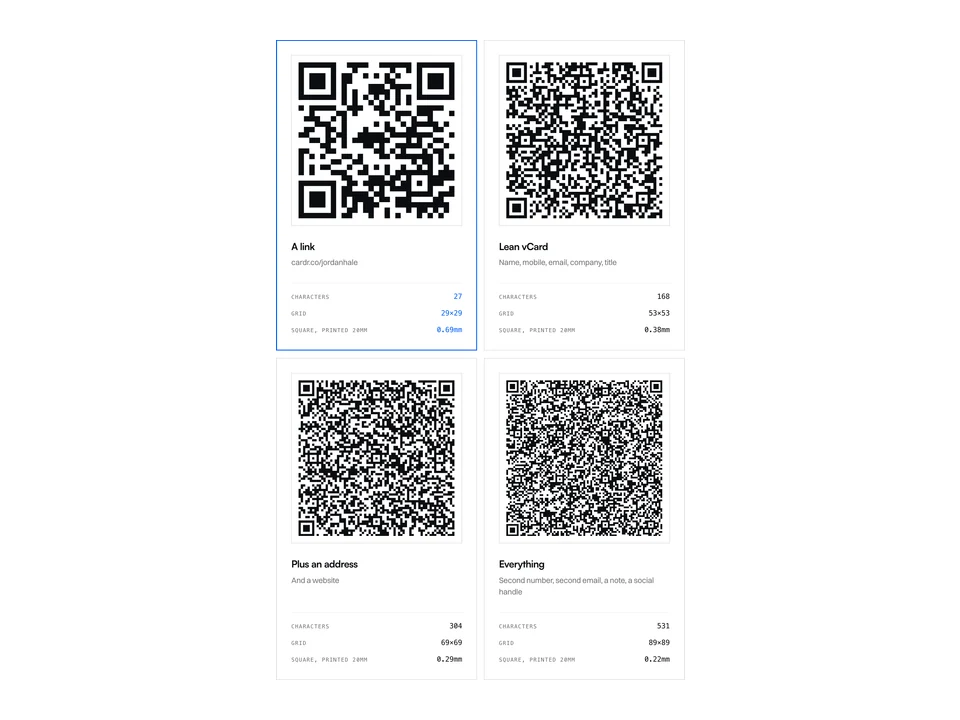
NFC & QR6 min read
How to make a vCard QR code
The raw kind fails quietly. Here are four real codes showing exactly when.
-
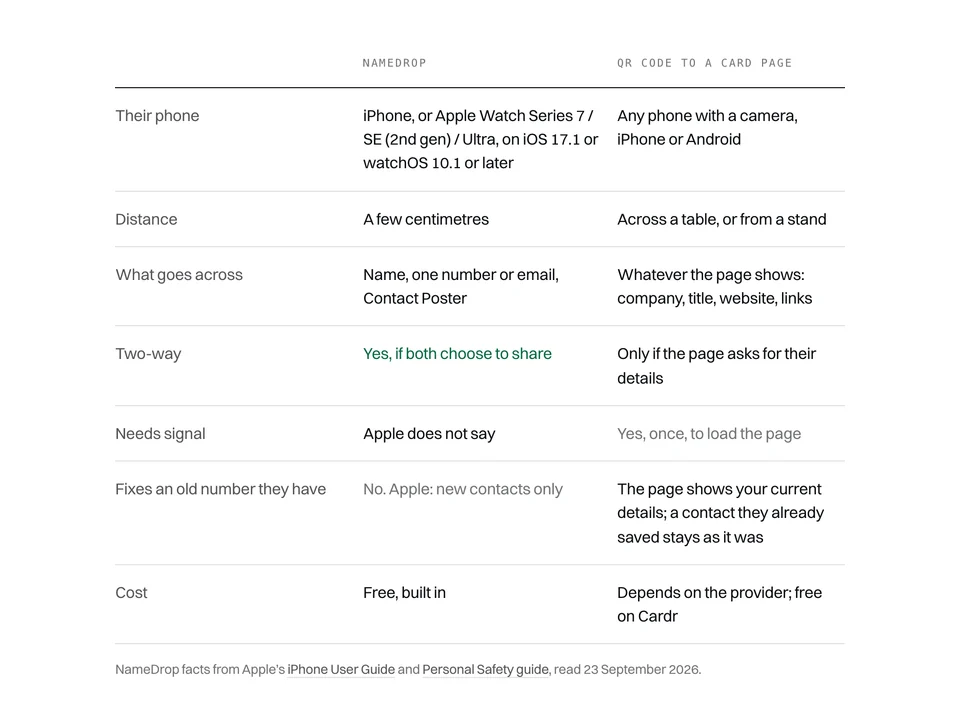
Comparisons7 min read
NameDrop vs a digital business card
Brilliant between two iPhones. Here is everywhere else.
-
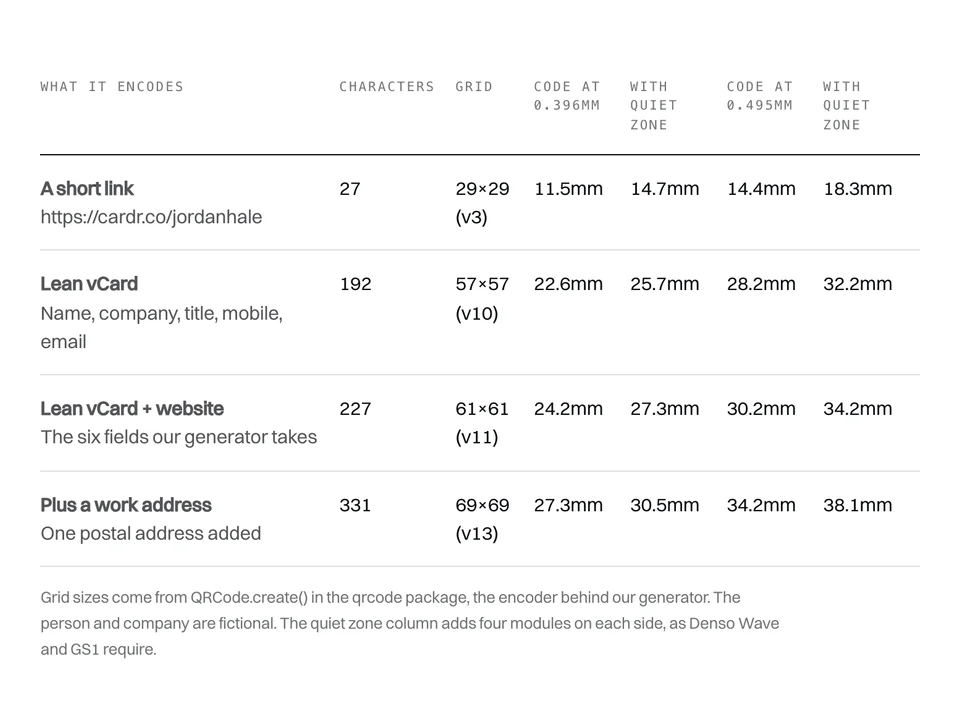
NFC & QR7 min read
What size a business card QR code should be
Millimetres come last. The number of squares in the code decides the size.
Free forever. About a minute to build.
Nothing for the other person to install, and no card details to start.